See every documentGrantDocs auto-fills.
The full SEAI grant pack plus your on-site paperwork, auto-filled from a single job entry. Here’s every document and how each one works.
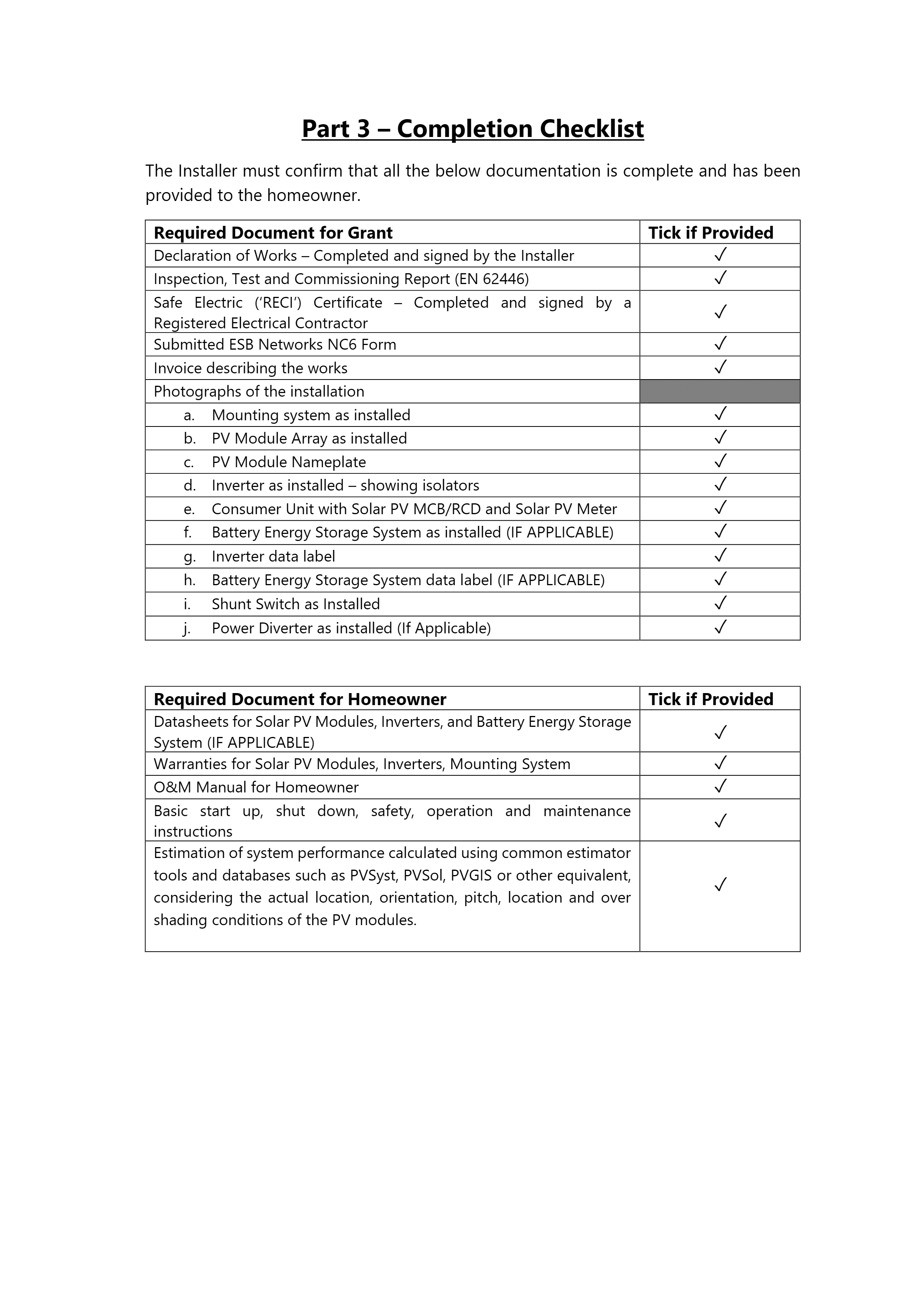
Declaration of Works
Signed off by the homeowner, from their phone.
The Declaration of Works is filled from the job the moment you create it: name, address, DCB grant reference, system size, battery, yield and the full components table. Email it to the homeowner and they sign on any device; the signature is drawn straight onto page 3 and the PDF re-renders.
- Every cell auto-filled from the job and your installer profile
- Email-to-sign flow so the homeowner signs on their phone
- Click any field to fix a typo, the PDF updates in under a second
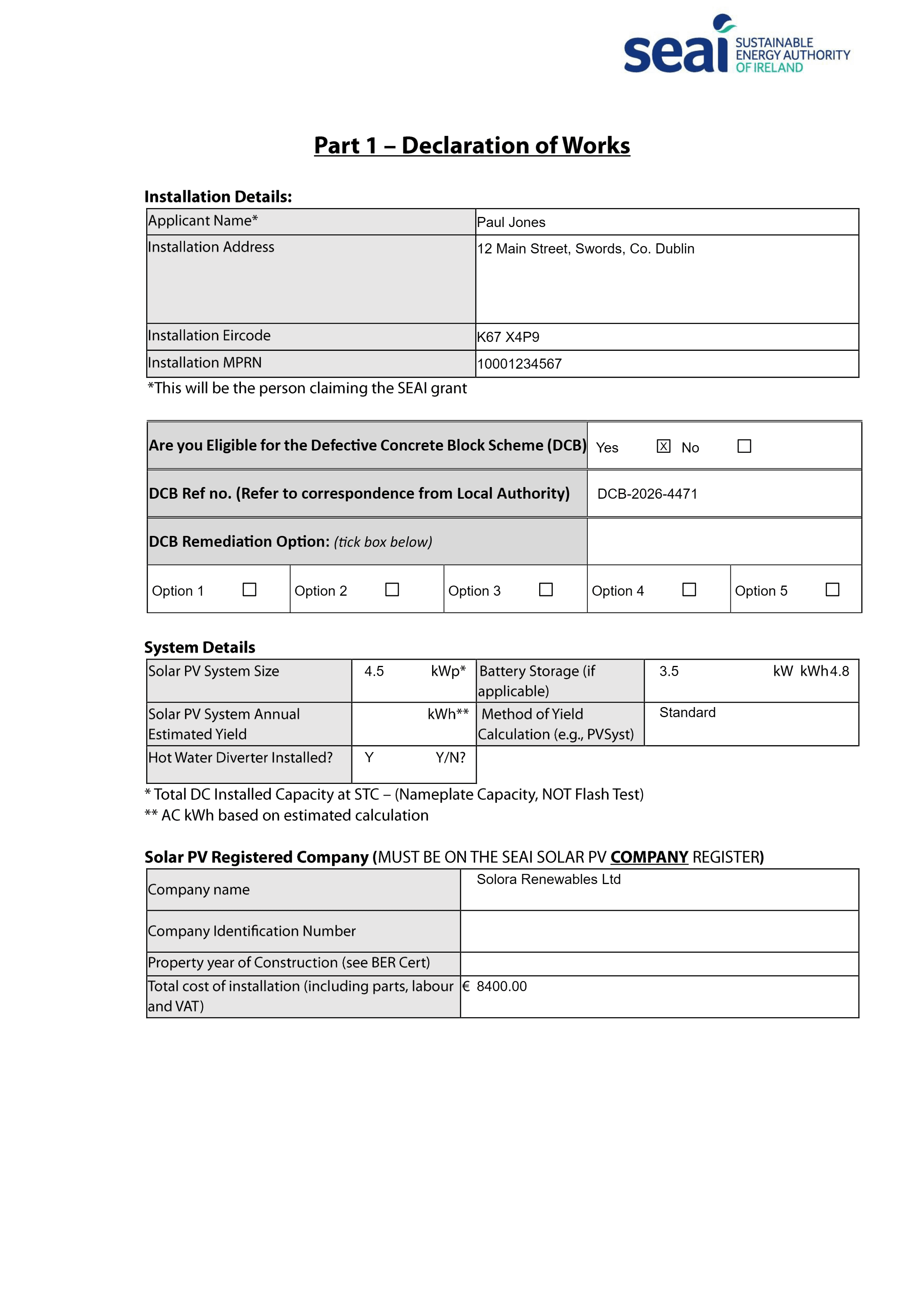
NC6 Form
The microgeneration connection form, to the character.
ESB's NC6 packs customer and installer details into one-letter-per-box fields and a protection-settings table that's painful by hand. GrantDocs places every character in the right box, formats Irish phone numbers and fills the microgeneration table and Table 1 protection settings.
- Per-character boxes calibrated to the real template
- Microgeneration table and protection settings filled
- Phone numbers normalised to Irish national format
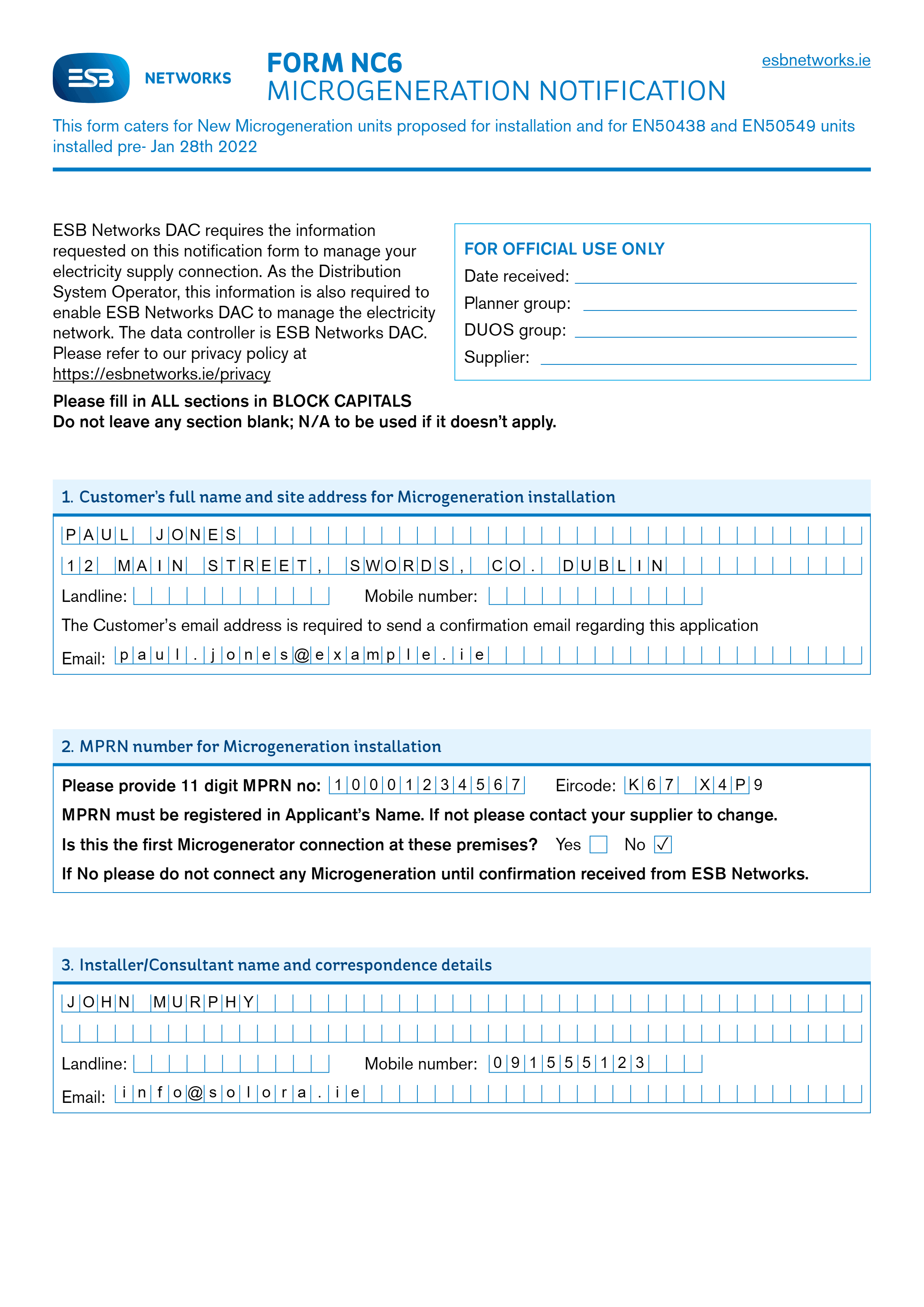
Inspection & Test Report
PV, inverter and string tests, ready to complete on site.
The customer, PV, inverter and string-test data carries straight through from the job. The String 1 column pre-fills with the module model, quantity, Voc, Isc and the inverter serial. On site, your crew can complete the test readings and sign from a phone, no printing needed.
- String 1 column auto-filled from the components
- Fill the test readings on a phone, on site
- Remarks and notes fields are fully editable
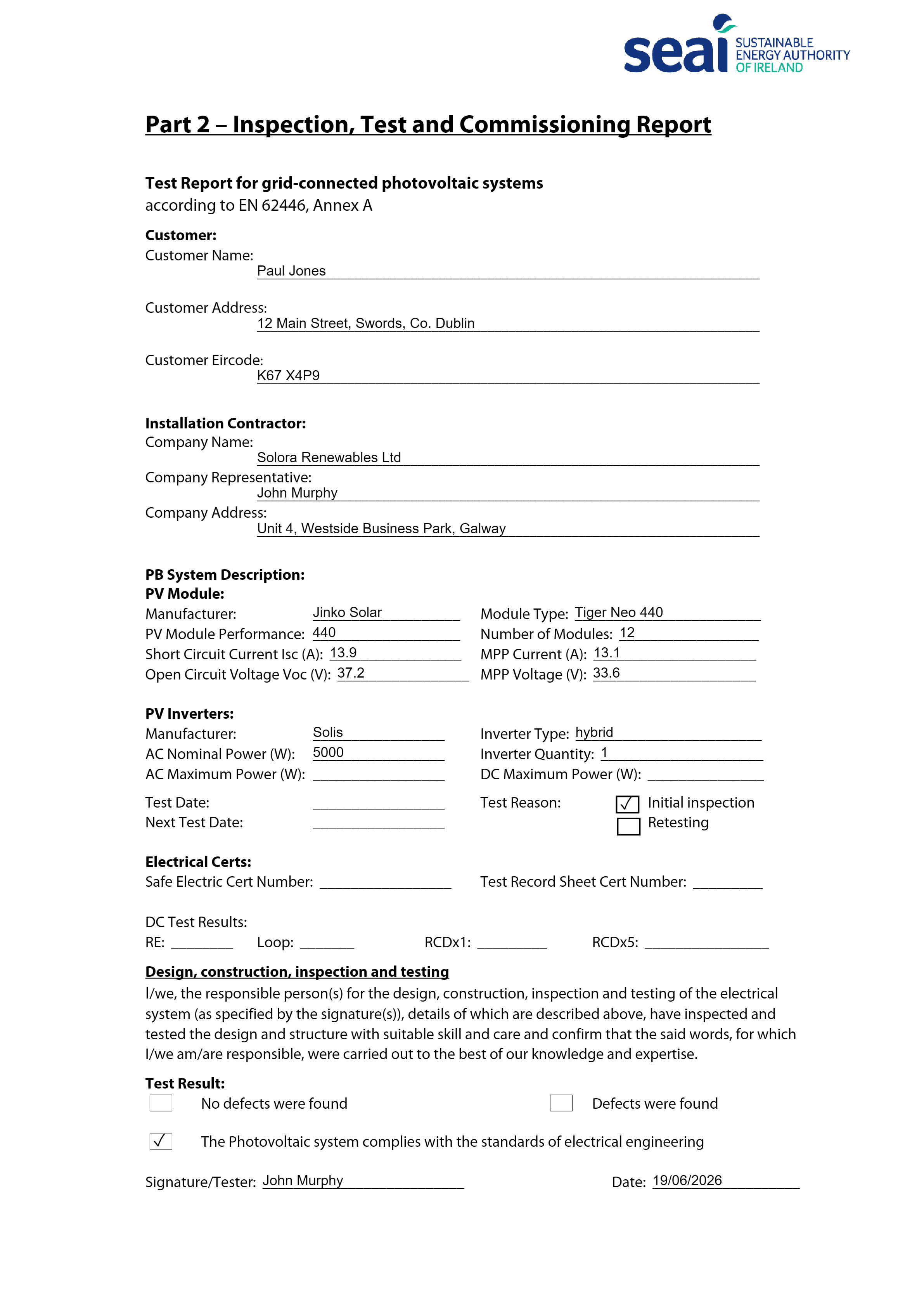
Completion Checklist
Every box ticked, with the battery logic handled.
The "tick if provided" checklist is ticked automatically based on the job. The conditional rows for the battery and hot-water diverter only tick when those are actually installed. Click any tick to toggle it; the PDF re-renders instantly.
- Ticks driven by the job's components
- Battery and diverter rows respect what's installed
- Click-to-tick, re-renders in under a second
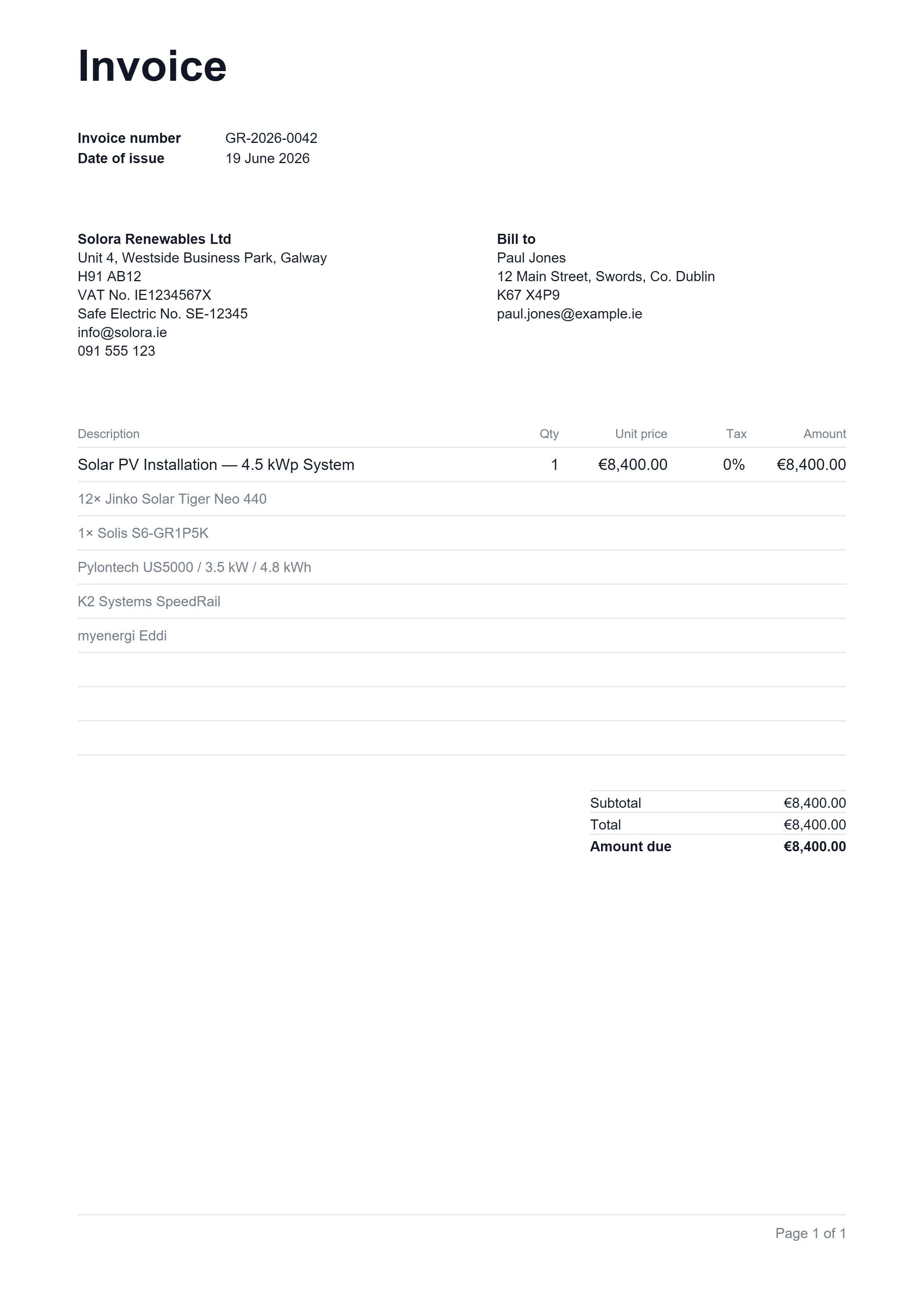
VAT Invoice
A clean, zero-rated invoice in your name.
A professional invoice issued under your company name, with the installation and every component listed as line items. Residential solar PV is zero-rated for VAT in Ireland, so the invoice shows 0% and a single amount due. Edit any line by clicking it.
- Issued in your company name, no GrantDocs branding
- Components listed automatically as line items
- 0% VAT for residential solar, handled correctly
Shared Homeowner Documents
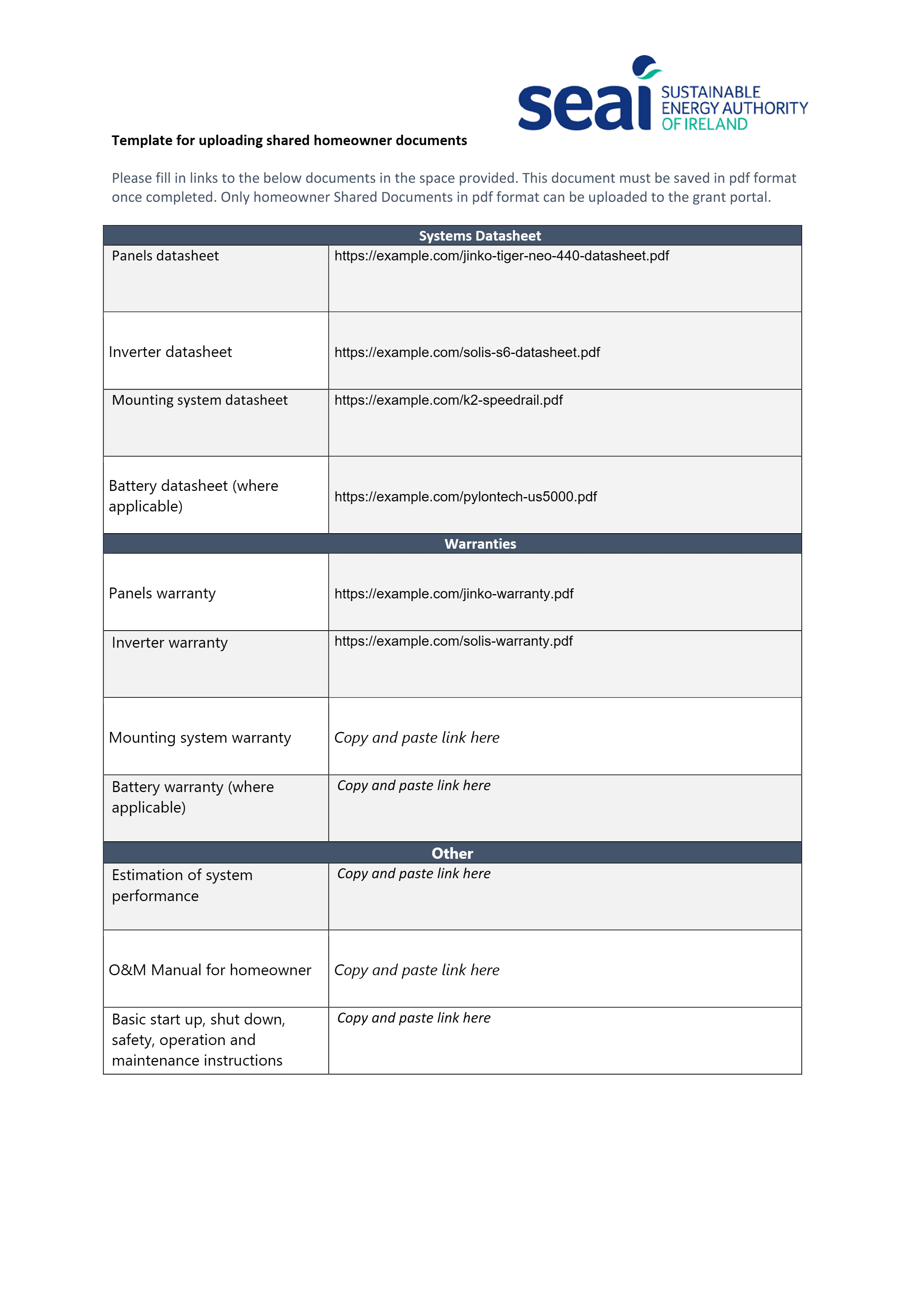
Datasheets and warranties, linked in for you.
The SEAI homeowner pack needs links to each component's datasheet and warranty. Set your default products once in Settings and GrantDocs drops the right datasheet and warranty links into every field automatically. Override any link by clicking it.
- Datasheet and warranty links pulled from your products
- Set defaults once, reused on every job
- Click any field to swap in a different link
Installation Photos
The 10 required photos, captured on the day.
SEAI asks for a set of installation photos with every grant. GrantDocs lays out exactly the slots you need, with the extra battery and diverter slots appearing only when those are installed. Tapping a slot opens the rear camera straight on your phone.
- Every required SEAI photo slot laid out for you
- Battery and diverter slots appear only when needed
- Tap to open the camera, uploads straight to the job
Safe Work Plan
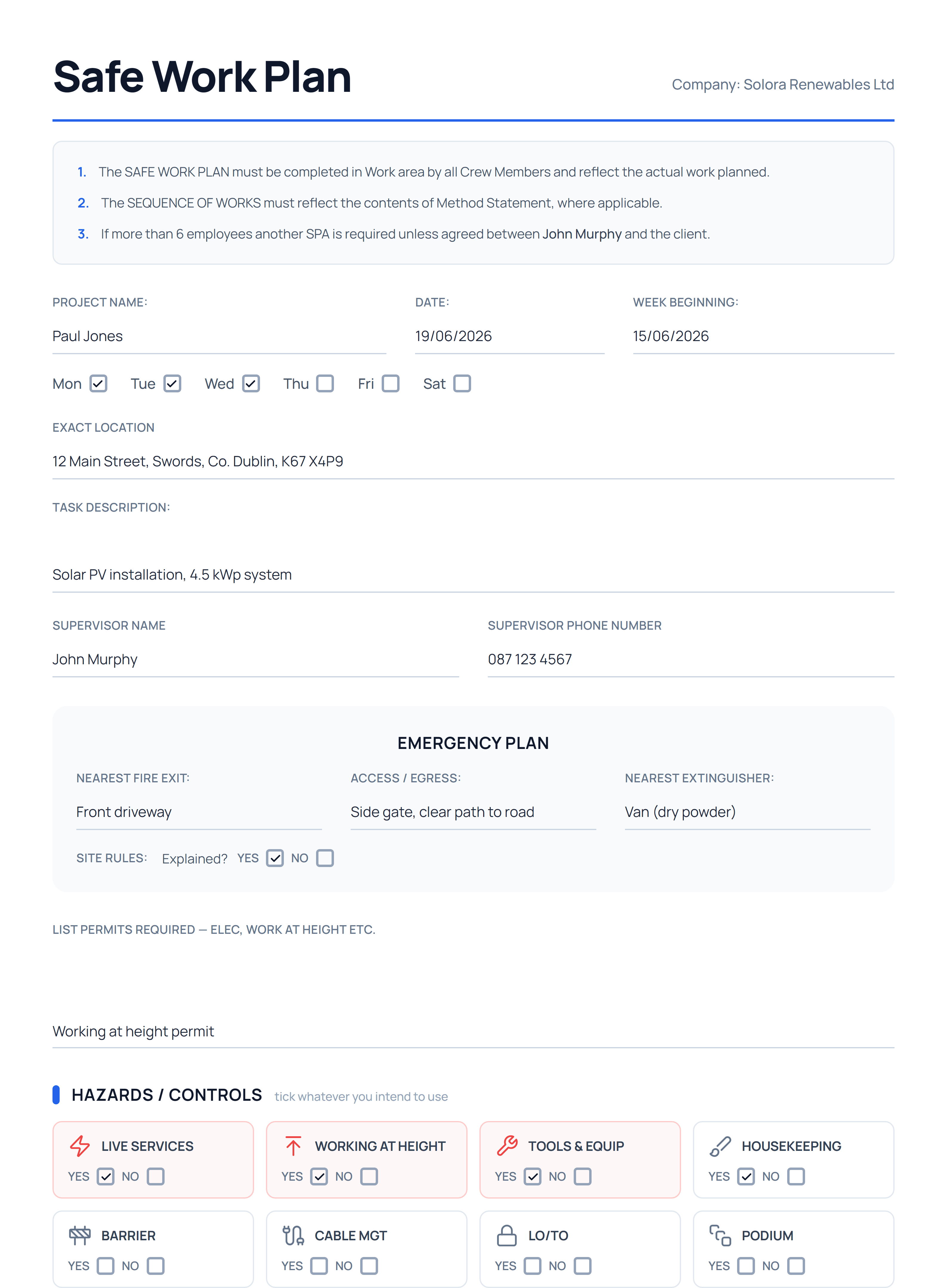
Site safety paperwork, pre-filled and signed on site.
Beyond the grant pack, GrantDocs generates a Safe Work Plan for the install, with the project, location and task pre-filled from the job. Fill the hazards, controls and PPE on a phone or email a link so the crew complete and sign it on site. Download the finished PDF for your records.
- Pre-filled from the job's homeowner and system details
- Fill on a phone or send a link to the crew on site
- Crew sign-off captured, PDF generated on demand
More than filling forms.The whole pack, managed.
Click any field to edit
Spot a typo on a generated PDF? Click the field, fix it, save. The document re-renders in under a second.
Tracked to done
A progress bar shows what's complete. Mark each document ready as you go, so nothing slips before submission.
One ZIP, ready to submit
Download the whole pack in a single ZIP for SEAI's portal: every PDF, the photos and your insurance docs.
Stop wasting hours
on paperwork
Your first job is free. No card needed. See the documents come out of GrantDocs and decide for yourself.